Visual query builder
CorePick objects, fields, and filters from a clean interface. Pull in related fields from parent records - Account.Owner.Name on an Opportunity, no joins to write. Power users can switch to a SOQL editor when they need it.
Upcells exports your records to a spreadsheet, lets you edit them like any other, and syncs your changes back - with a field-by-field preview before anything is written. On the higher tiers, a copilot that runs entirely on your machine answers questions about your data, enriches records, and helps keep the CRM tidy.
Runs entirely on your machine - the AI included. Your Salesforce data never touches our servers, and never goes to a cloud model.
That gap is why CRM data goes stale. Updating records one at a time through the Salesforce UI is slow. Data Loader and Workbench are built for admins. Copy-pasting between a spreadsheet and Salesforce is how data goes wrong - wrong picklist values, missed records, no audit trail.
So reps either skip updating Salesforce, and the pipeline drifts from reality, or they lose Friday afternoons clicking through forms instead of selling.
Upcells takes the other path: meet salespeople where they already work. Let them edit in the spreadsheet they know - and give the whole team a private AI to keep the data clean. The org gets accurate data; nobody has to change how they like to work.
Sign in to your Salesforce org with OAuth - Production, Sandbox, or Dev. Pick the object you want to work with: Account, Opportunity, Contact, Lead, or any custom object you have access to.
Choose your fields visually, including related fields like Account.Name on an Opportunity. Upcells builds the query, runs it, and exports to Excel with picklist dropdowns auto-populated from your org.
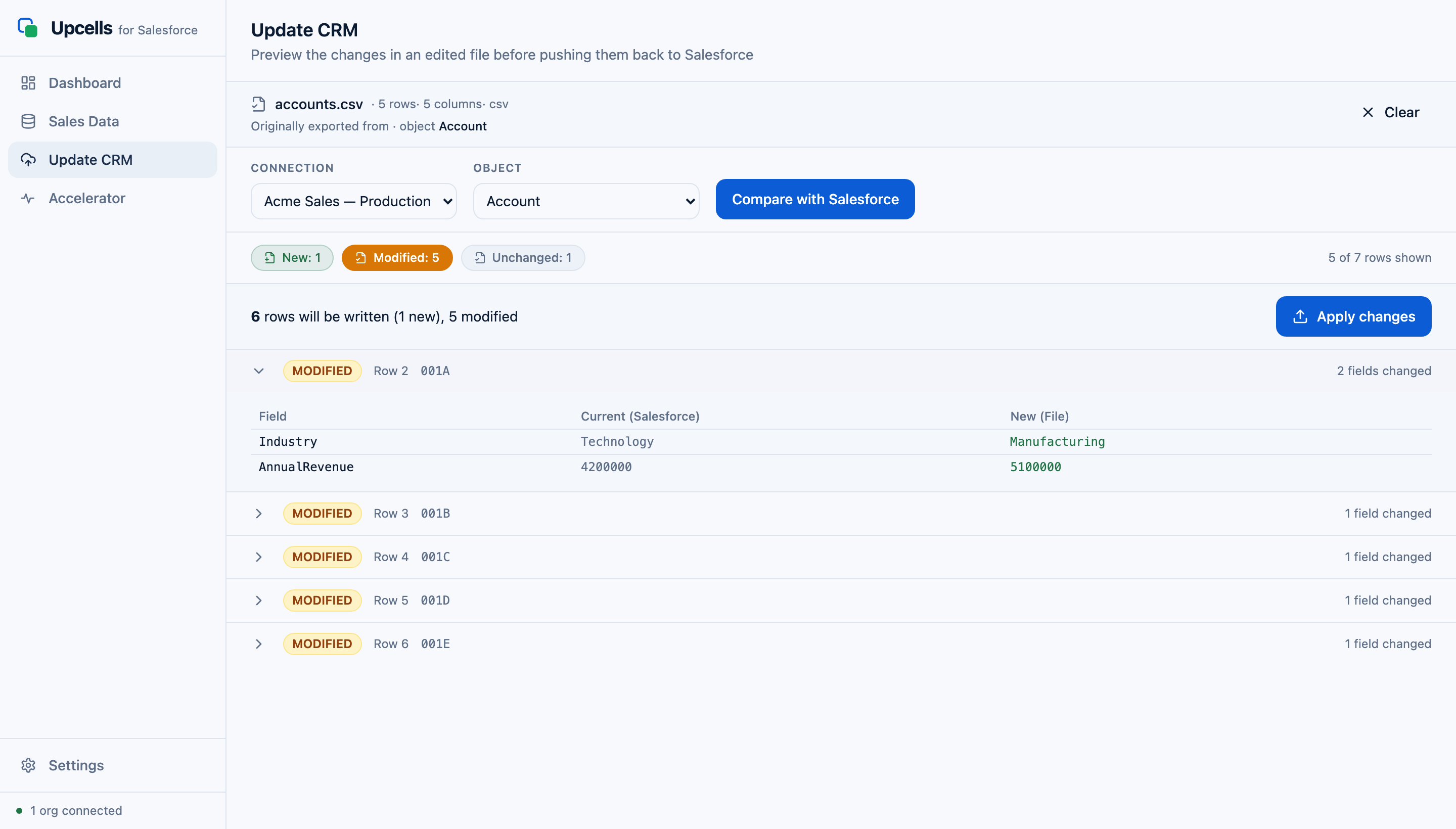
Edit in Excel, Numbers, or Google Sheets. Drop the file back into Upcells. See exactly what's changed, field by field. Click Apply. Done.
Start with the data workflow. Add a private, on-device AI - and team-wide clean-up tools - when you're ready.
Pick objects, fields, and filters from a clean interface. Pull in related fields from parent records - Account.Owner.Name on an Opportunity, no joins to write. Power users can switch to a SOQL editor when they need it.
Restricted picklist fields export as actual Excel data-validation dropdowns. Your team can only pick valid values. No more "Closed Won" vs "closed won" vs "Won" cleanup.
Add a Note, Task, Log Call, Event, or Feed Post for any record by filling a single cell. Upcells creates the corresponding Salesforce activity on import. The fastest way to log a week's worth of calls.
Every change is shown side-by-side - old value, new value, with picklist warnings flagged before you commit. Nothing writes to Salesforce until you click Apply.
Ask plain-English questions about your data - "which deals slipped this quarter?" - and get answers, reports, and drafted outreach. It runs on a local model, on your machine. No data goes to a cloud AI.
Point Upcells at a Website field and it reads each company's site, then proposes values - Industry, and more - for you to review and apply. Fill blanks across hundreds of accounts without leaving the app. Unreachable pages are flagged, never guessed.
See each rep's pipeline and record health at a glance, then fix issues in bulk with a preview first: reassign owners, clear out stale deals, tidy picklists, fill missing fields.
Upcells runs on your machine. Your credentials live in your OS keychain. Your data flows directly between your computer and Salesforce - and the AI runs locally too. Nothing goes to an Upcells server or a cloud model.
$10 /user/mo
The full data workflow: query, export, edit, sync, activity columns, saved queries + sharing, multi-org.
Get Core$20 /user/mo
Everything in Core, plus a private on-device AI: ask questions of your data, enrich fields automatically, and draft outreach - all on your machine.
Get Accelerator$30 /user/mo
Everything in Accelerator, plus Manage: team pipeline health and bulk fixes (owner reassignment, stale deals, picklist tidy-up, field population). Email support included.
Get ProAll plans: 30-day free trial · per seat, no minimum · device-locked licensing with 7-day offline grace · free updates. Annual saves 20%; a one-time perpetual licence is available on any tier.
Five quick answers. Longer FAQs live on the pricing and features pages.
Download Upcells, connect your org, and clean up your pipeline before lunch.