Skip to content
Upcells

The spreadsheet workflow, and a private AI on top.

Upcells starts with one workflow — pull data out of Salesforce, edit it in a spreadsheet, push it back safely — and adds a copilot that runs entirely on your machine. Here's everything, grouped the way the plans are.

The data workflow · Core

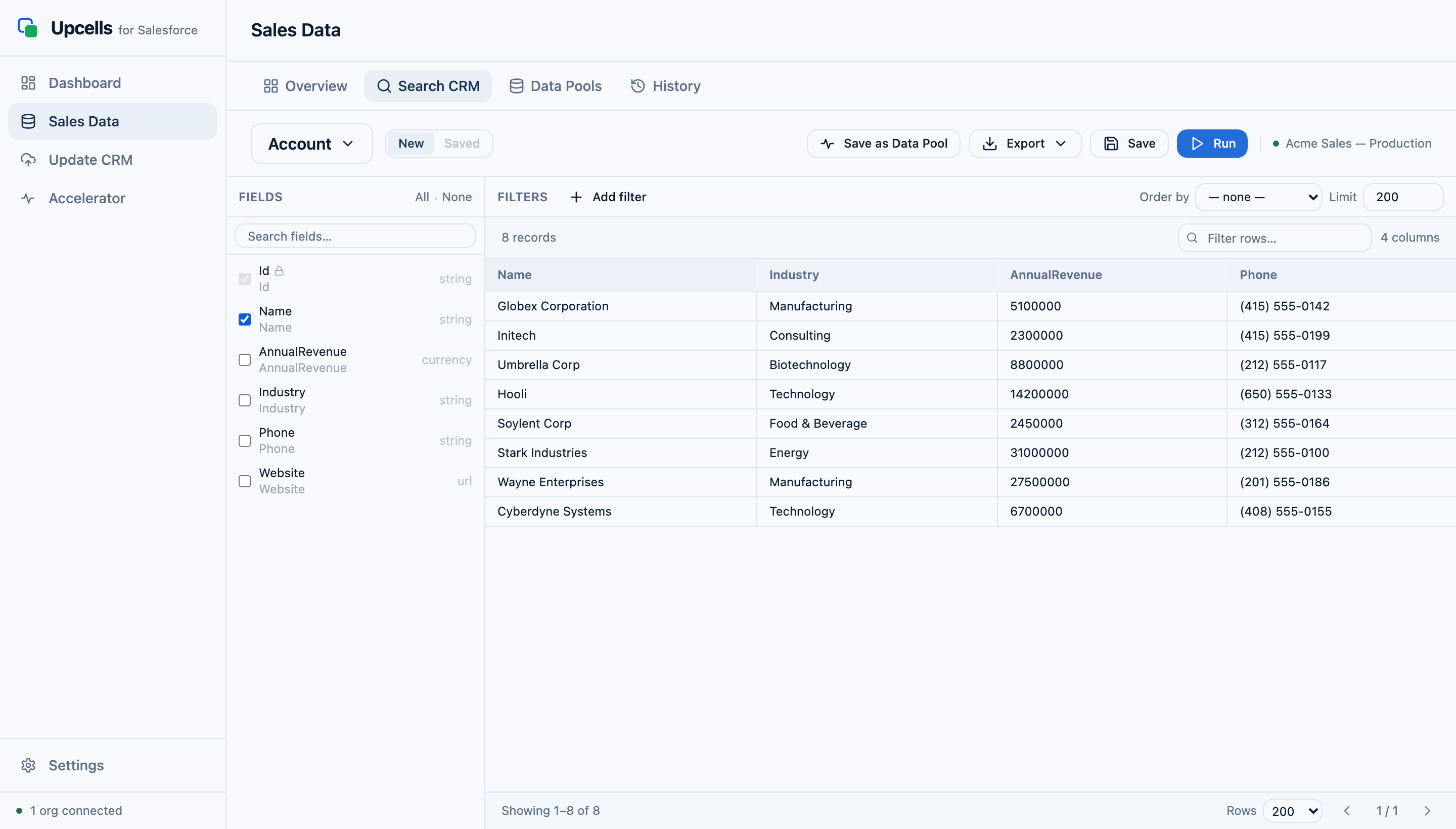
The Upcells visual query builder — an object and fields selected, with an Account results table

Visual query builder

Click your way through objects and fields — no SOQL required. Filter by any field with the operators you'd expect (equals, contains, greater than, in list). Add related fields from parent records: Account.Industry, Owner.Email, LastModifiedBy.Name. When you need more control, toggle into the Advanced SOQL editor and write the query directly.

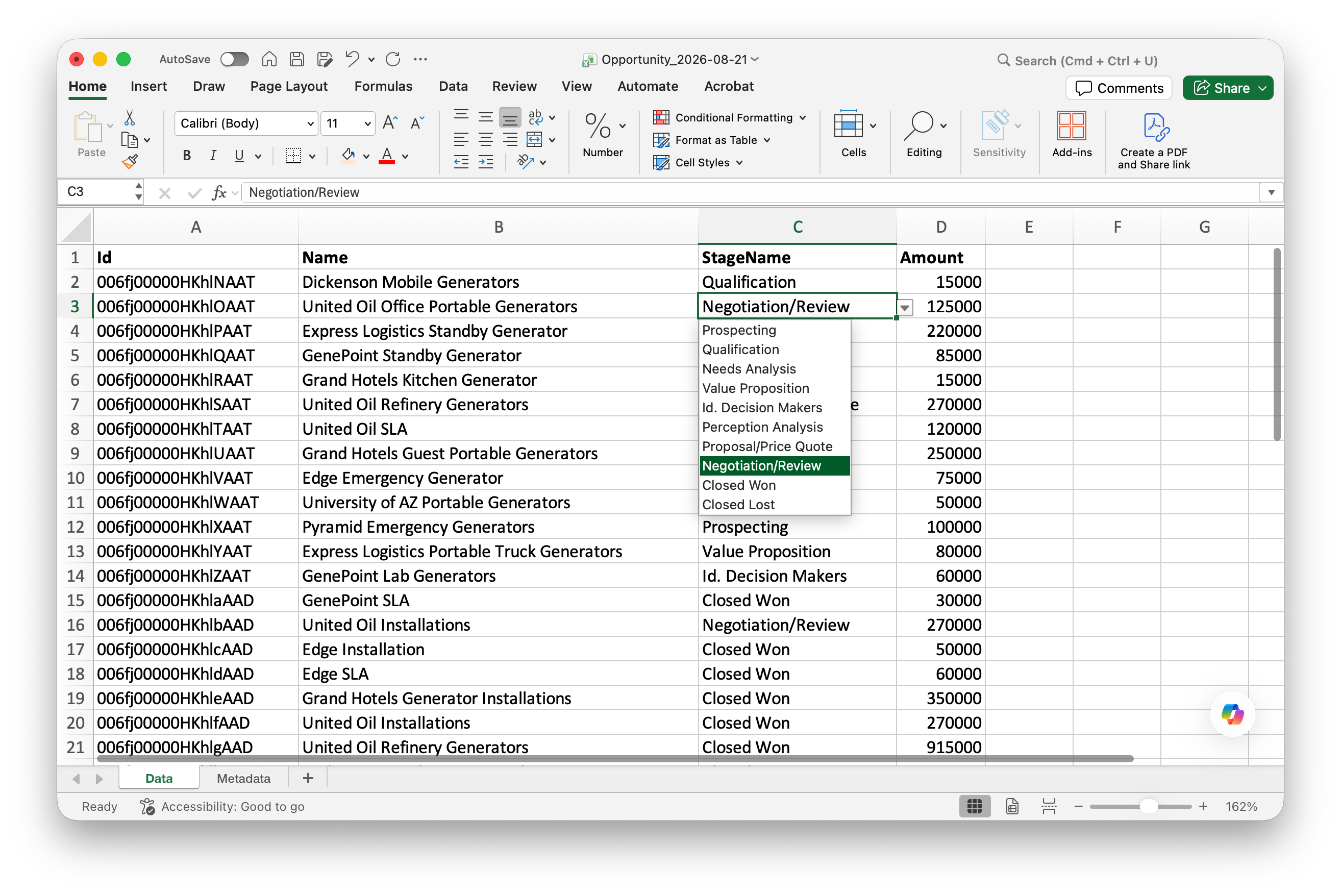
An exported Upcells file open in Excel, with the StageName cell's data-validation dropdown showing the Salesforce picklist values

Real Excel picklist dropdowns

Restricted picklist fields export as native Excel data-validation dropdowns. Open your file in Excel and you'll see the same options your team sees in Salesforce. No more typos, no more cleanup imports later.

Activity columns

Five special columns turn cells into Salesforce activities on import.

  • Feed Post

    Adds a Chatter post to the record.

  • Note

    Creates a Note attached to the record.

  • Task

    Creates a Task with the cell content as the subject.

  • Log Call

    Creates a logged call activity.

  • Event

    Creates a calendar event.

Fill the cell, sync, done. The fastest way to log a week's worth of customer interactions in one go.

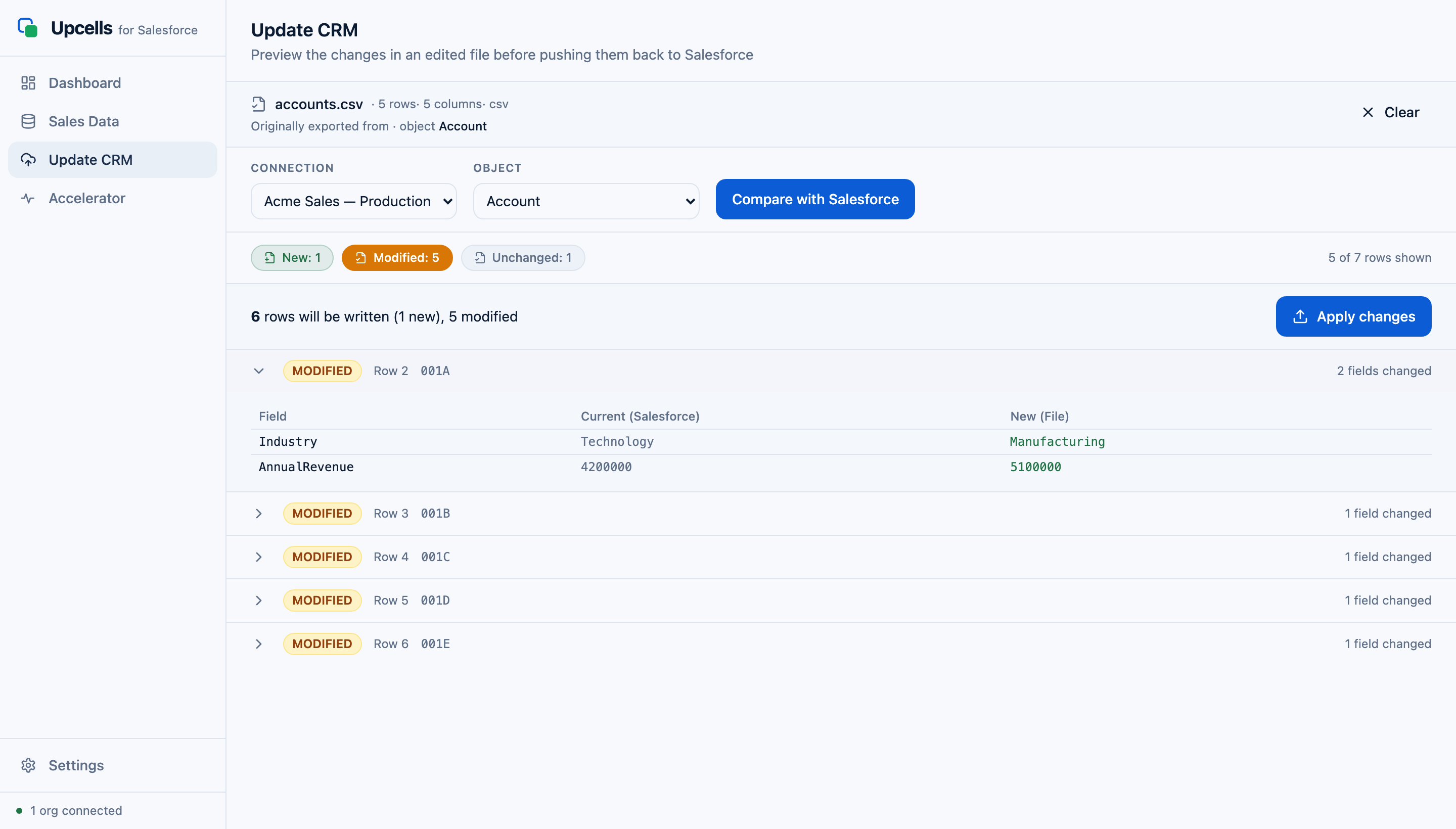
The Upcells diff preview — field-by-field Current vs New values, before anything writes to Salesforce

Safe diff preview

Drop your edited file back into Upcells and see a field-by-field comparison: what was, what will be, what will fail. Picklist values are validated against your org. Required fields are checked. Nothing writes to Salesforce until you review the diff and click Apply.

Saved queries and team sharing

Save any query for later. Export queries as JSON files and share them with your team — they import them into their own Upcells, and the same workflow works on their org. The weekly forecast pull becomes one click for everyone on the team.
Multiple orgs, one app

Connect Production, Sandbox, and Developer orgs side-by-side. Switch between them with one click. Each connection's tokens live in your OS keychain, separately encrypted.

Dashboard and org stats

Open Upcells and see your org at a glance: account count, opportunity count, contact count, API quota remaining. Useful before kicking off a big export — you'll know if you're close to a governor limit before you hit it.

The private AI copilot · Accelerator

Everything here runs on a local model, on your machine. No cloud inference, no data leaving the device.

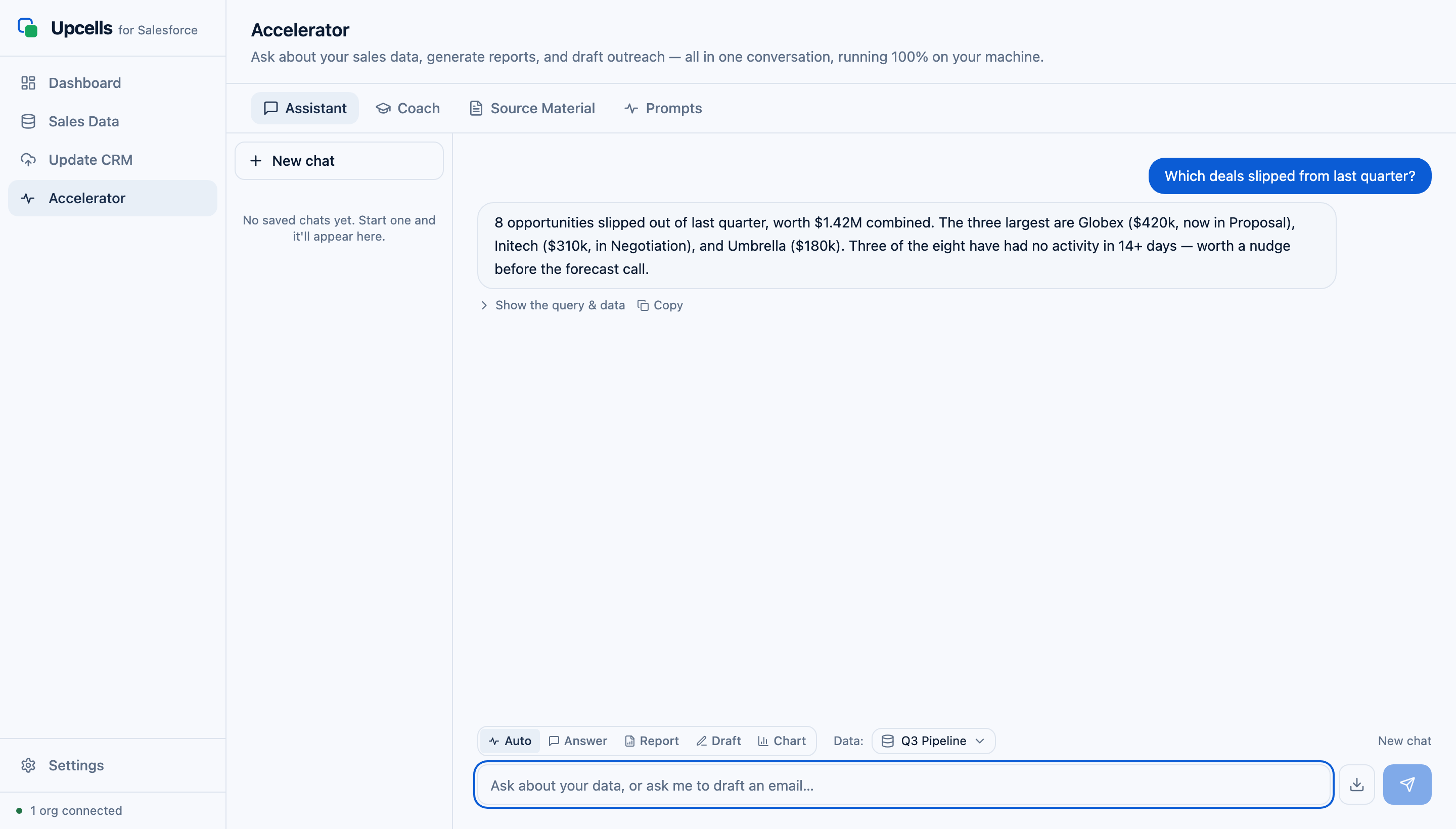
The Upcells Assistant answering 'Which deals slipped from last quarter?' with an on-device summary
Accelerator

Ask your data anything

Open the Assistant and ask in plain English — “which opportunities slipped from last quarter?”, “summarise this account's recent activity”, “draft a follow-up to these stalled deals.” Upcells builds a local, queryable snapshot of your records and answers with on-device retrieval. Generate quick reports and draft outreach the same way. It never sends your data to a cloud AI.

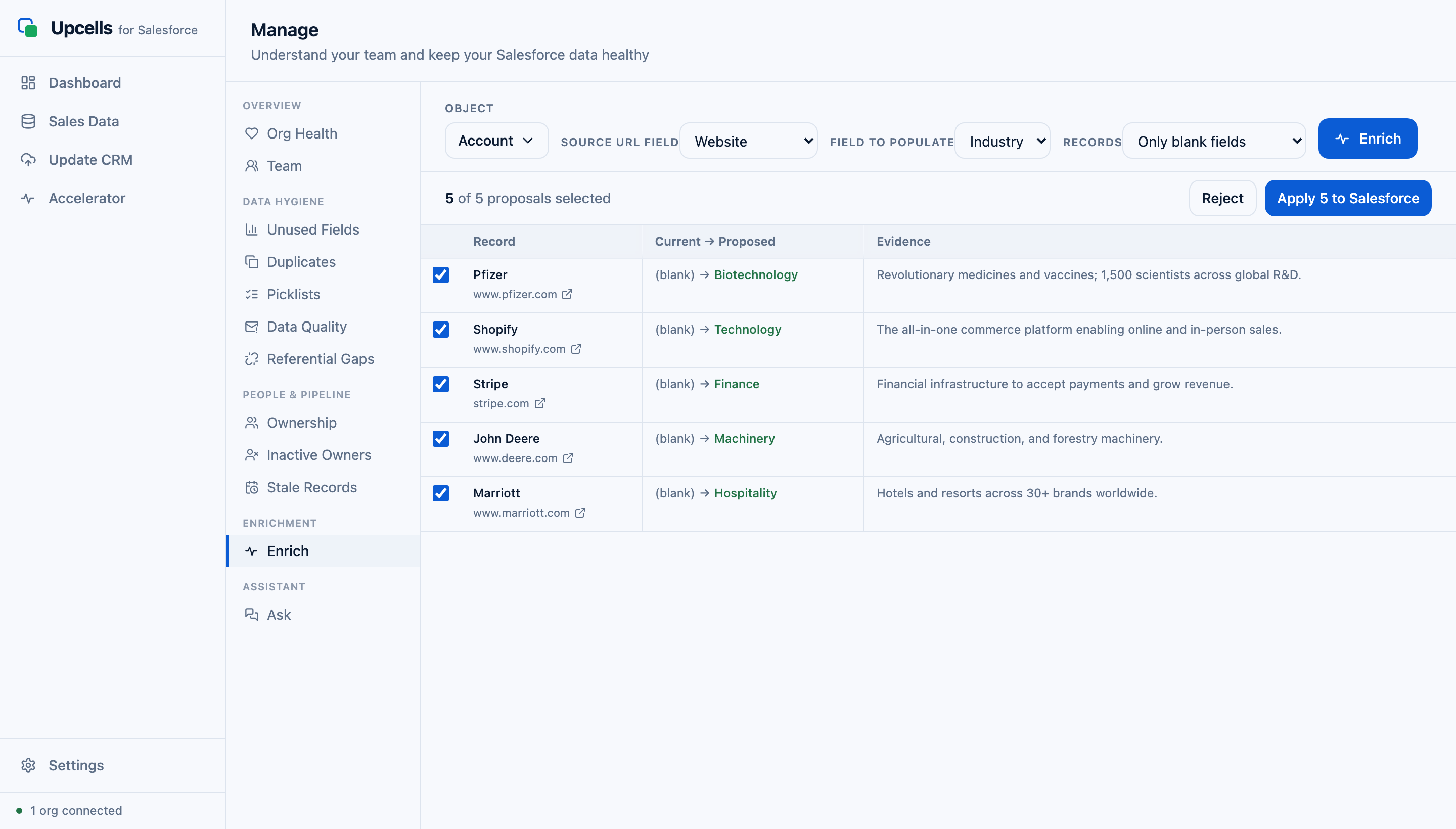
The Upcells enrichment proposals table — Industry values proposed from each company's website, with evidence
Accelerator

Automatic data enrichment

Have blanks to fill across hundreds of accounts? Point Upcells at a URL field (like Website); it reads each company's site with the local model and proposes values for a target field — Industry, and more. You review the proposals in a table, with the evidence it used, and apply the ones you want. Pages it can't reach are flagged “unreadable,” never guessed — and the write-back uses the same safe, preview-first path as every other sync.

Accelerator

Talk to it

Speak your questions to the Assistant and hear the answers back — still fully on-device. Hands-free CRM Q&A for when you're between calls.

Pro · Manage

Keep the whole team's data clean

A per-rep view of pipeline and record health, plus bulk fixes that always show a preview before anything writes — the same propose → review → apply safety as the core sync, applied to whole-team hygiene.

  • Owner reassignment

    Move records between reps in bulk — with a preview of every change before it writes.

  • Stale-deal & picklist fixes

    Clean up aging opportunities and inconsistent picklist values across the team at once.

  • Bulk field population

    Fill missing fields across many records in one pass, reviewed before it's applied.

  • Org-quality analysis

    Duplicate detection, ownership distribution, and unused / under-populated field detection.

The small things that add up.